Cursor Crafter
A downloadable tool for Windows
Cursor Crafter
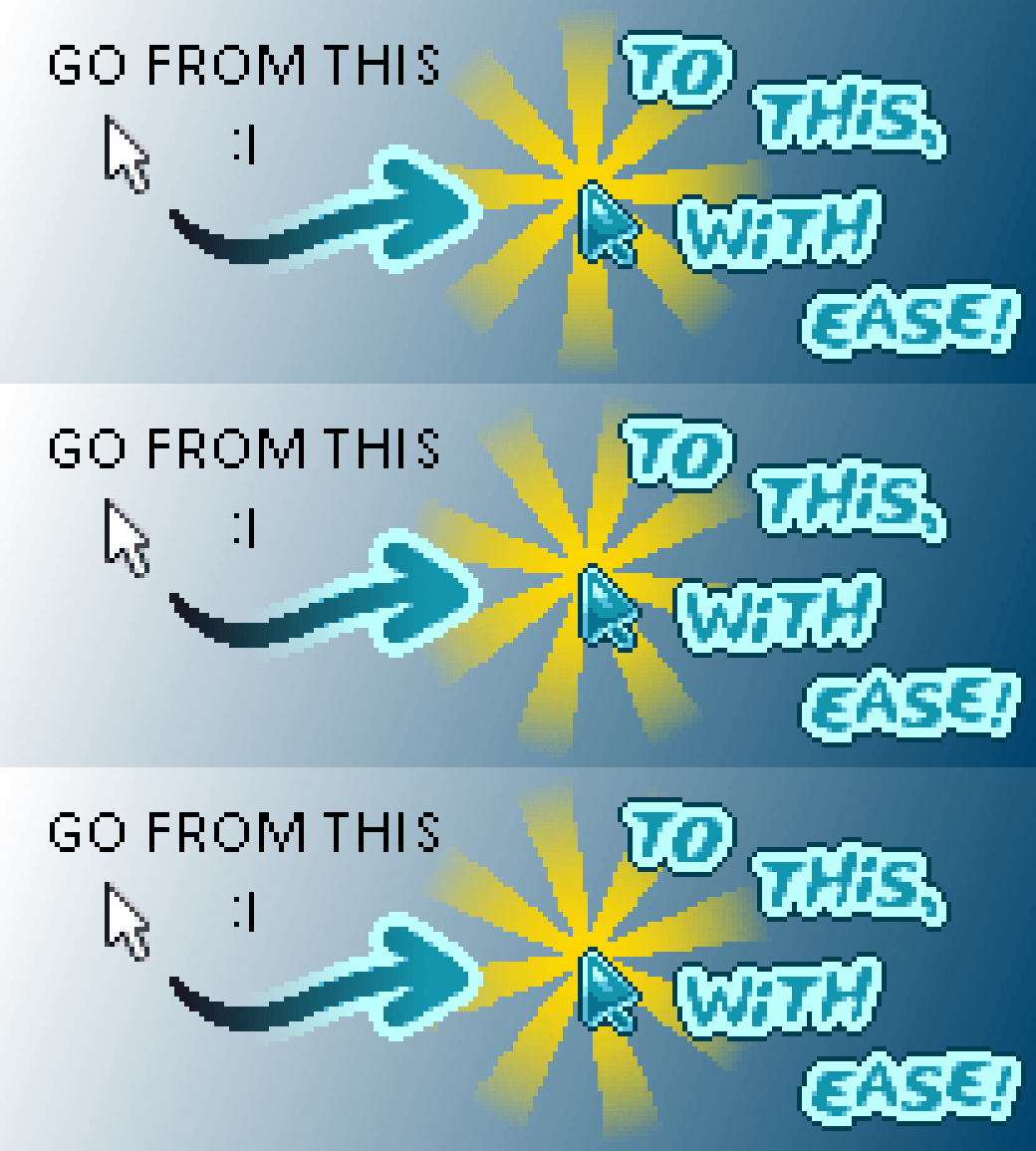
If you're an artist who makes cursors for Windows you likely know that it's not a straight 1:1 export when you want to use those same cursors on Mac or Linux. That's what this tool is for!
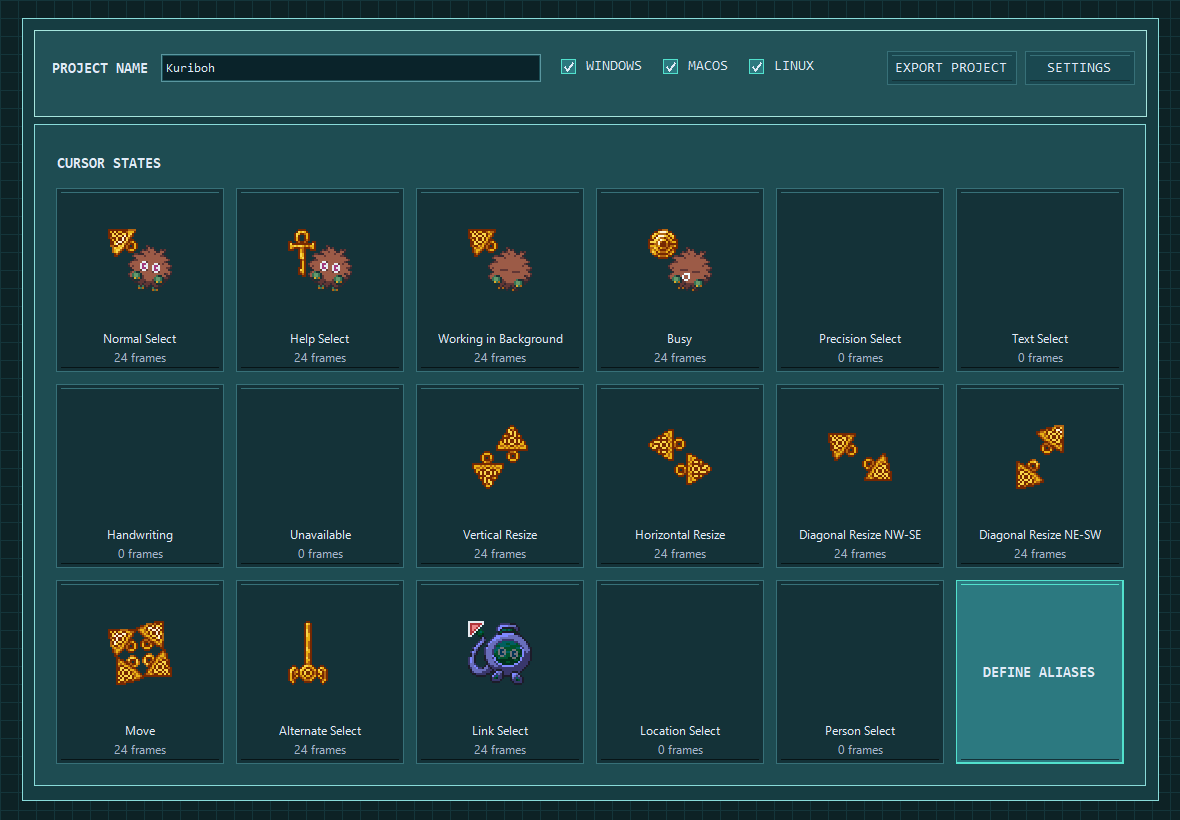
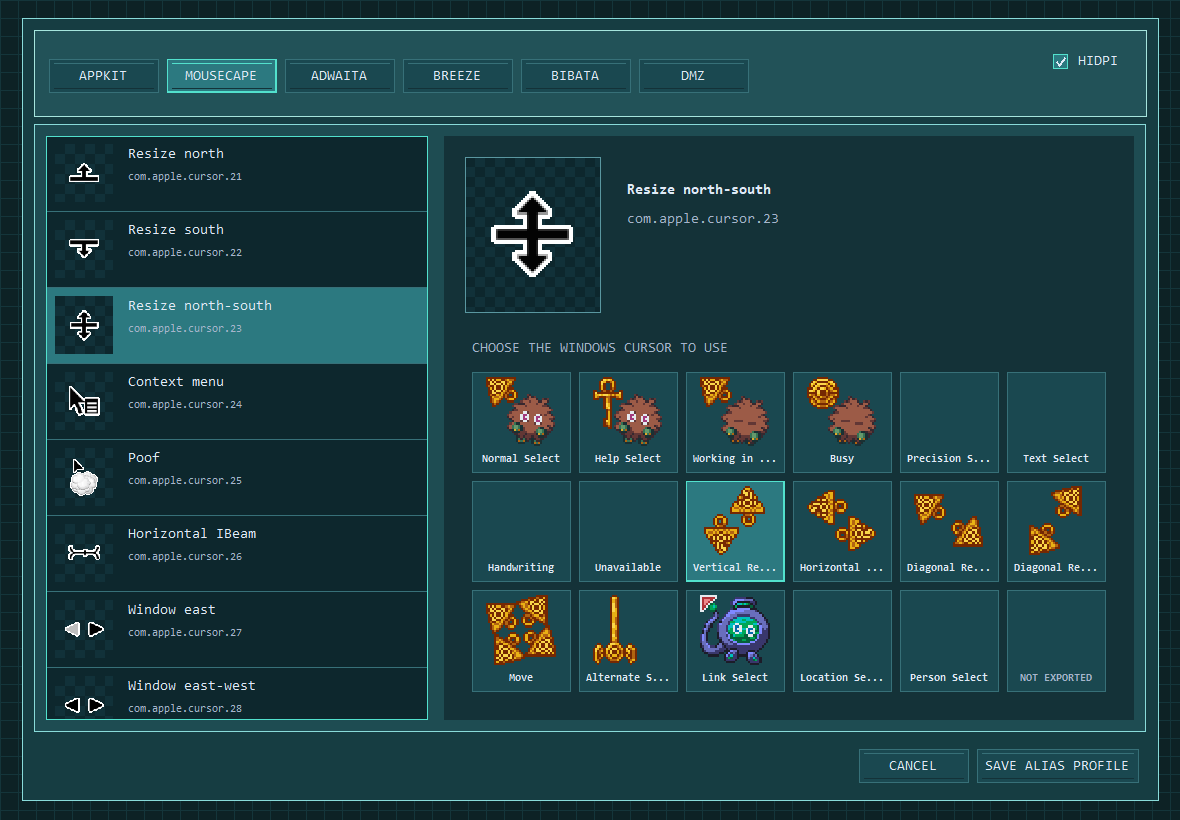
Simply load your cursors into the editor, then go into the alias tab and pick which ones you want to represent each cursor state on one of the other platformes! This tool supports both Mousecape and raw NSCursor formats (for those who are building their cursors directly into Mac apps) as well as 4 different Desktop Enviroment formats for Linux. (Adawaita, Breeze, Bibata, and DMZ)
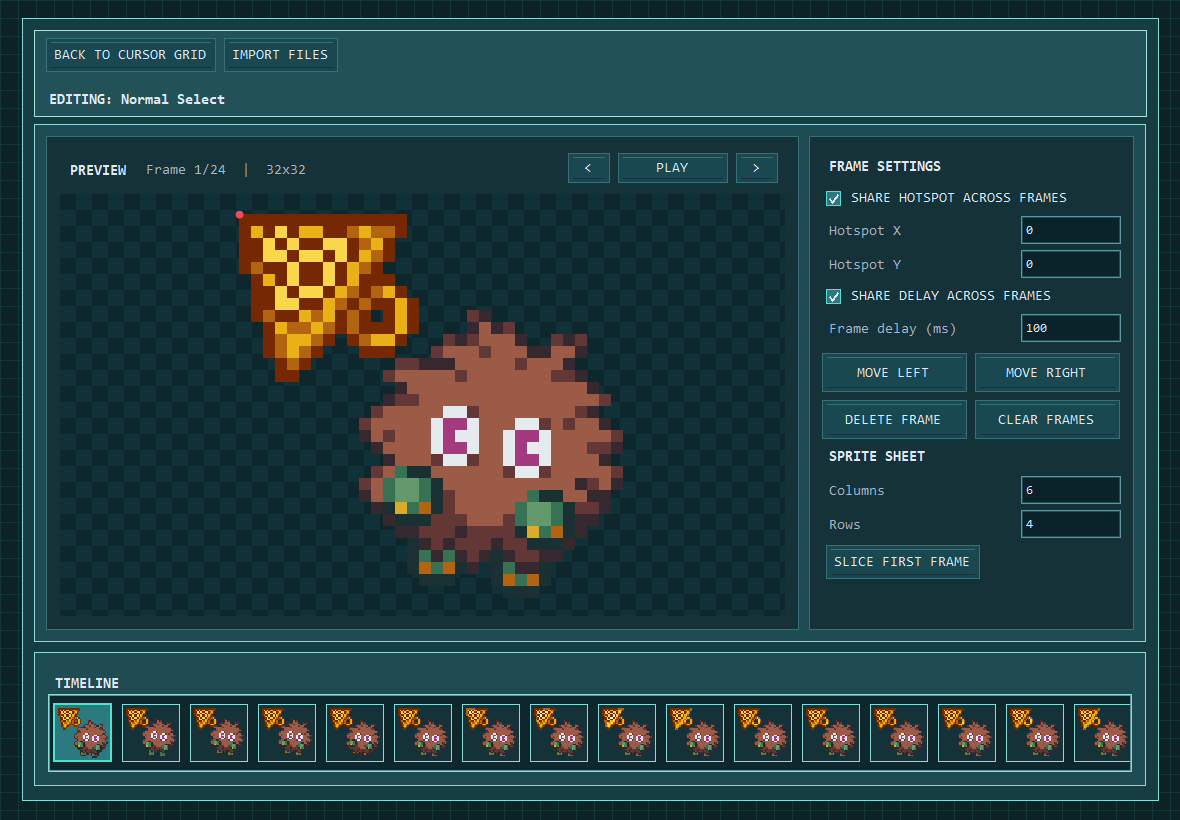
No cursor files yet? NO PROBLEM! This tool not only allows to you take your pre-made .ani/.cur files and port them over to other platformes, but it ALSO allows you to make the animated cursors directly in the editor! Just import or drag and drop any standard image file into the preview window! From there you can set the speed of the animation and the cursor's click location (known as the "hotspot"). There's even an image timeline incase you imported things in the wrong order, just click and drag to reposition. You can also use spritesheets if you don't have everything exported as individual frames, this will cut it for you! Drop the entire spritesheet into the editor, select how many rows and columns it has, and instantly split the sheet into a full frame animation!
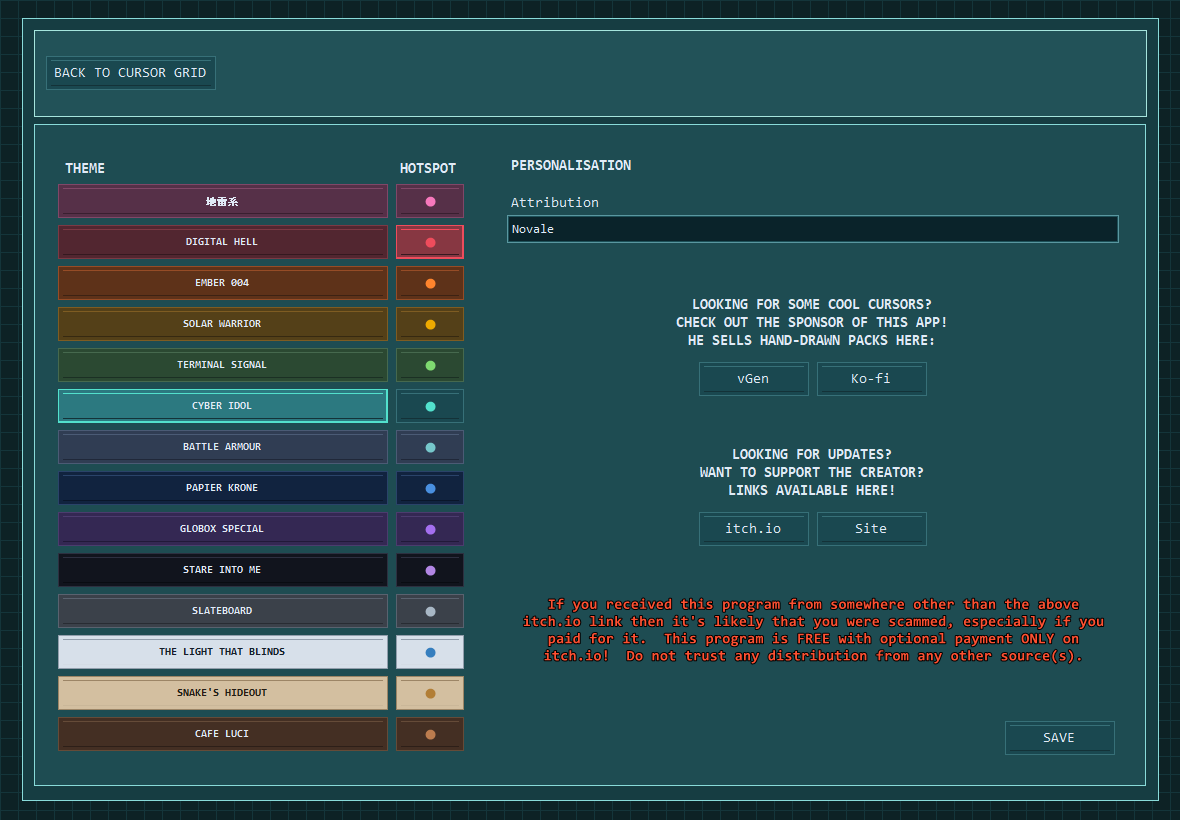
Don't like the Miku-based colour theme from the screenshots? There's a settings panel that lets you set the editor to be a wide variety of themes, including 2 light mode themes (if you're into that for some reason). You can ever set the hotspot to be a separate colour from the main theme incase you're having a difficult time seeing it on the background or against your cursor's artwork.
This tool was inspired by the very talented pixelartist JDZombi due to his desire to get his cursors working on other platformes. There wasn't a lot of good options that were available online to do so, thus Cursor Crafter was borne!
Q&A
click to expand (it's fuckin long)
Q - What are the "standard image formats" mentioned in the body?
A - PNG, APNG, GIF, BMP, JPG/JPEG, TIFF, ICO, CUR, and ANI. Linux Xcursor files are also recognised.
Q - What is a "Hotspot"?
A - A hotspot is the part of the cursor that actually initiates the click at a specific location. It's not centered on the pixels in the editor preview because Windows actually treats the hotspot at being located at the top left corner of the pixel it's set to. This is because it works based on a coordinate system, like you would find in games such as Minecraft, wherein 0,0 is actually a point and not a block.
Q - How percise are the animations on export?
A - .GIF and .APNG delays are categorised in milliseconds whereas .ANI uses 1/60th second units, so some timings may be ever so slightly rounded on export, but it's more than likely that it will be imperceptible to the human eye.
Q - What do I need to have installed for this to run?
A - This program was built in C#, so you'll need to have .NET 8 installed on your PC for it to run. If it doesn't run, that's why. Luckily, if you've used your PC for a while it's likely that you already have this installed from some other game or program you used in the past. If not, you can get it directly from Microsoft's website and install in a mattre of minutes.
Q - How are the images handled internally?
A - Each frame is stored as a 32-bit ARGB bitmap in memory. This memory is automatically released when the frame is removed or the program closes. When scaling, slicing, importing, or otherwise touching the images, they are handled with Nearest Neighbour scaling as this is designed for pixelartists. You may also know this forme of scaling by point sampling filtering. Bilinear, Bicubic, etc were avoided to prevent people from messing up their pixelart by accident. If you need something scaled in one of these lossy methods, you will have to do it pre-import.
Q - Where is data for this app stored?
A - The main app itself is a single .EXE file located wherever the hell you put it. As for the settings and alias profile, they're stored in a .JSON file located in %APPDATA%\(Your Windows Username)\JeepDriversCursorMaker\. Or at least, they should be. If you have OneDrive the path may be different because I know OneDrive loves the fuck up where things are saved "on" people's PC. I'm not bitter about this at all. (•_•)
Q - What does "HiDpi" mean?
A - This exports cursors for Mousecape as sharp high-resolution/Retina-aware images. This is auto enabled by default so that pixelart cursors don't get mangled by any sort of weird scaling issues on MacOS. Only uncheck this if you know what you're doing when creating a standard-DPI Mousecape pack.
Q - What are the weird long number/lettre cursor names in the alias scene?
A - These are dilapidated Linux Xcursor hashes. They're maintained in the packs to support legacy use-cases, such as when an old app requests one of these instead of the modern cursor names. (Imagine the fun you could have exporting secret cursors for these names that shouldn't appear very often.)
Q - How do I install these cursor packs after exporting?
A - Upon exporting a pre-written file will be dumped into the folder that corresponds to the platforme the pack is exported for. These instructions detail exactly how to install your new cursors!
Q - Why do I get a Windows Defender Smart Screen popup when trying to run this?
A - I'm too broke to afford digital signing, so until enough people download and run the program to get it on Microsoft's trustworthy radar it's gonna do that. Nothing I can do about it unfortunately.
Q - Why can't I resize the program?
A - Unfortunately the way the image rendering is handled on the main grid scene causes catastrophic lag when trying to resize the window. Since that scene was made first and I set a hard size, everything built after was built with that shape deliberately in mind and also does not scale well with other window sizes. If you start the program and there's not enough size on your screen it may render things incorrectly, even after you move it on screen or adjust your resolution. To fix this simply close and reopen the program.
Extra:Some beta testers asked me where the cursors would be "uploaded to"...? I hate cloud services, as you may be able to tell about my stance on OneDrive. I know there's some websites out there for hosting your custome cursors for people to look at and download, but this software is entirely self-contained. There's no internet connectivity, sorry to disappoint I guess?
Also if you're wondering why the save folder is called "JeepDriversCursorMaker", it's because that was the original name of the program in the concepting stage in early 2026. It was based on an in-joke list of alternate names that JDZombie has. One of them (!jd #113 to be exact) is "Jeep Driver", and as I was originally making the program just for him, I just slapped that on there. I picked that one because I like that the best, since I also like Jeeps. The older square ones anyways. I fucking hate the newer ones that are all smooth and shit lookin like the rounded ui from Discord. Can't stand that look, stop fucking rounding everything, return to square. Give me a 90 degree corner on my iPhone too.
SHA-256: ED48DBD7C6235D9E75AE53B0291B3D6D42529262E55BA892BBDD0417B1942BFB
Download
Click download now to get access to the following files:
Development log
- Cursor Crafter is RELEASED!6 hours ago
Comments
Log in with itch.io to leave a comment.
IF YOU WANT THE KURIBOH CURSOR IT'S GOING TO BE FREE, I JUST HAVEN'T FINISHED IT. I WILL RELEASE IT LATRE!